 CaptureVault
Search by what it says
Receipts, bookings, addresses, recipes, chats: the text the app reads becomes searchable. Exclude words with a minus sign.
 For iPhone and iPad
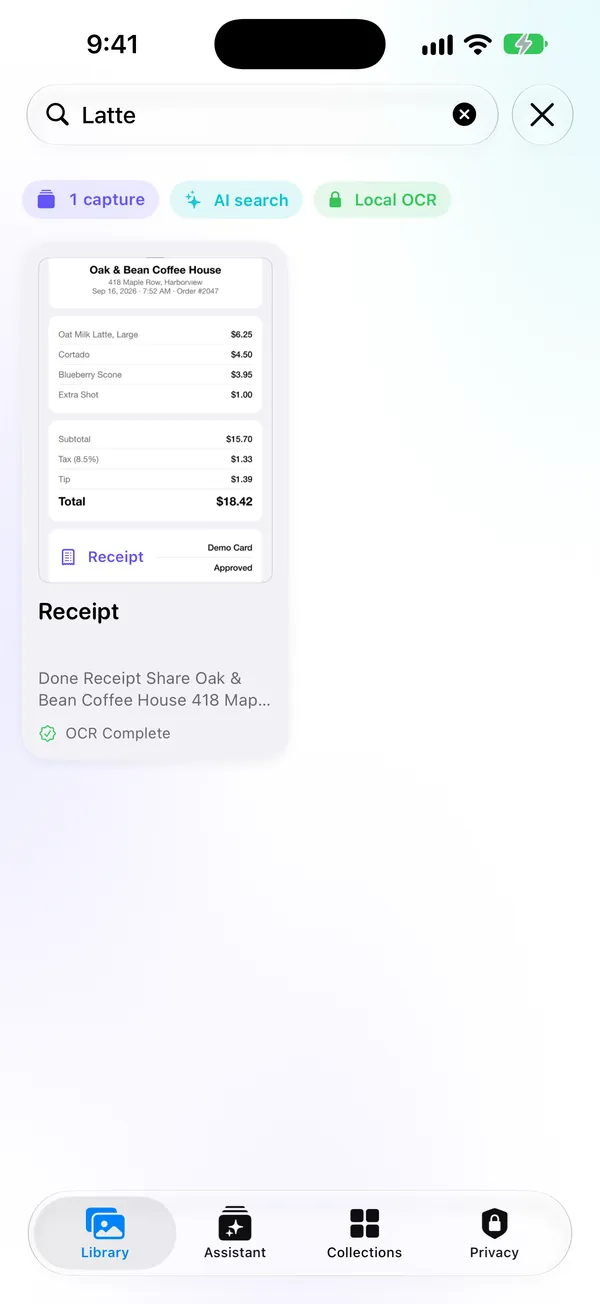
CaptureVault reads the text in every screenshot, right on your iPhone. Type “latte” and the receipt shows up.
It’s in your camera roll somewhere. Good luck.
So you scroll. And scroll. And give up.
The insight
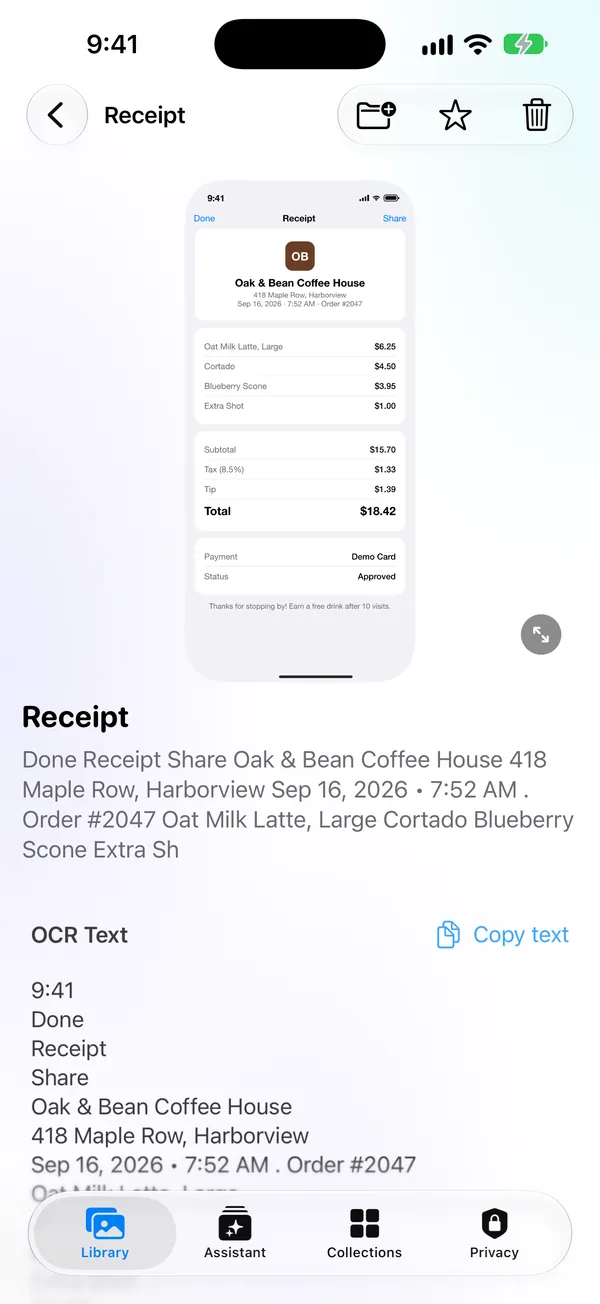
Text is searchable. So CaptureVault gets the text back out, using Apple’s own text recognition, running on your device.
Limited access works too. The app imports only what Photos marks as a screenshot.
Every screenshot is read on your iPhone, in the background, respecting battery and Low Power Mode.
Type any word that was in the screenshot. Want to leave something out? Use a minus sign.
Receipts, bookings, addresses, recipes, chats: the text the app reads becomes searchable. Exclude words with a minus sign.
Titles and kinds like Travel, Recipe and Receipt, automatic and manual collections, favorites, pins and notes. It even flags what has expired.

An on-device assistant answers from your captures and shows where each answer came from. With Apple Intelligence it replies in words; without it, it shows ranked results.
Spotlight, Siri, Shortcuts and Visual Intelligence stay out of it until you turn them on. Widget previews are optional too.
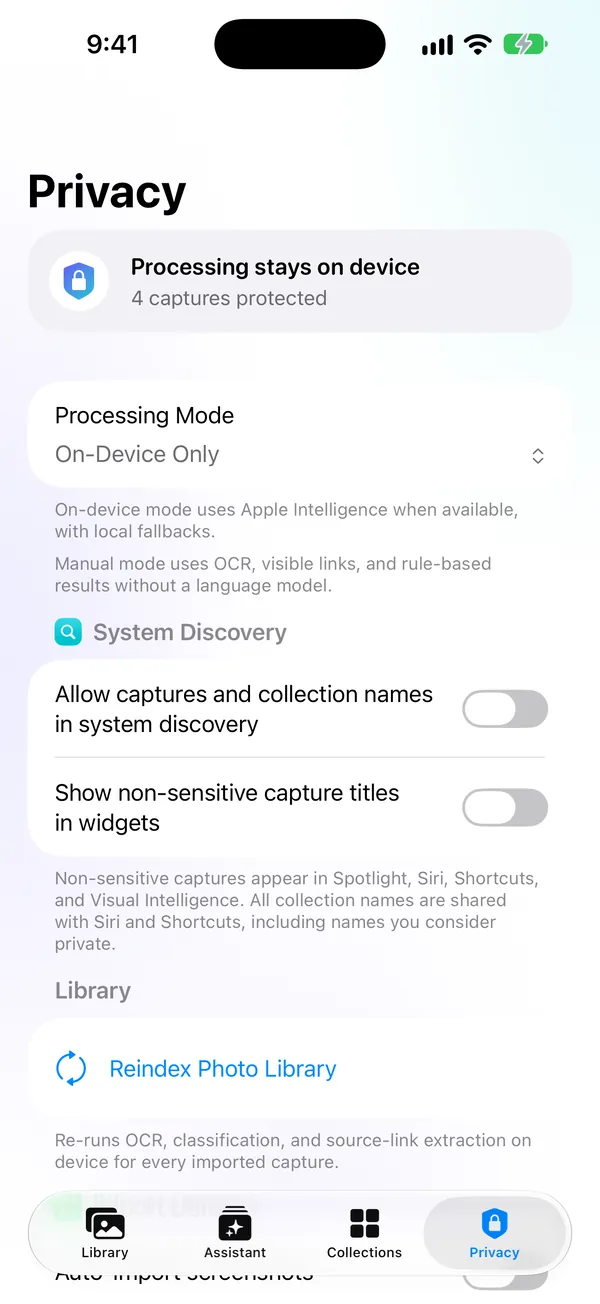
Privacy isn’t a paragraph in the footer here. It’s how the app works.
Here’s everything that one payment gets you:
$1.99one-time purchase on the App Store, US price; the App Store shows yours
Why no subscription? There’s no server to pay for. Everything runs on your device, so there’s nothing to bill you for every month.
No. Text recognition, search and collections work offline, and the app sends nothing to any server. If a screenshot is stored only in iCloud, Photos downloads the original from Apple before it is read.
No. With it, the assistant answers in words and search gets smarter, all on the device. Without it, the assistant shows ranked results and search uses local rules. Import, text recognition, search and collections work on any device running iOS 27.
Never on its own. A photo leaves Photos only when you confirm deleting it.
Yes, with the screenshots you share.
iPhone running iOS 27 and iPad running iPadOS 27.
Delete one capture or all app data at any time in the Privacy tab. Removing the app erases the rest, and your photos stay in Photos.
…type one word and send it.